
What is Swap
BeeSwarm has an integrated swap module that allows you to exchange tokens directly through the wallet, without leaving the app.BeeSwarm does not execute the swap directly. Execution is handled by PancakeSwap’s official contracts, the same ones used by their interface.
All contracts can be verified on BscScan and checked in PancakeSwap’s official documentation: V2 and V3.
How to use
- Access the swap through the wallet’s main menu.
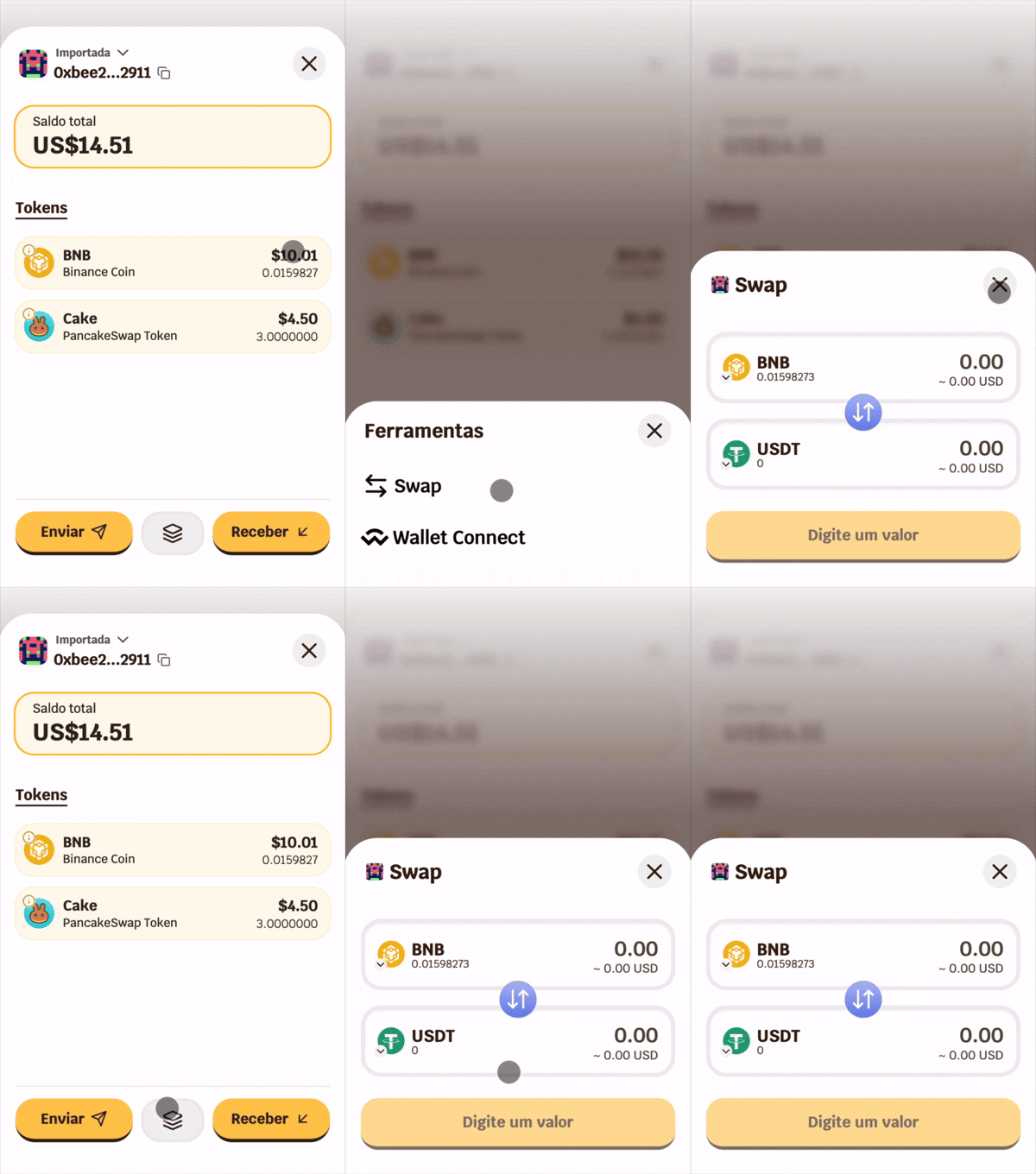
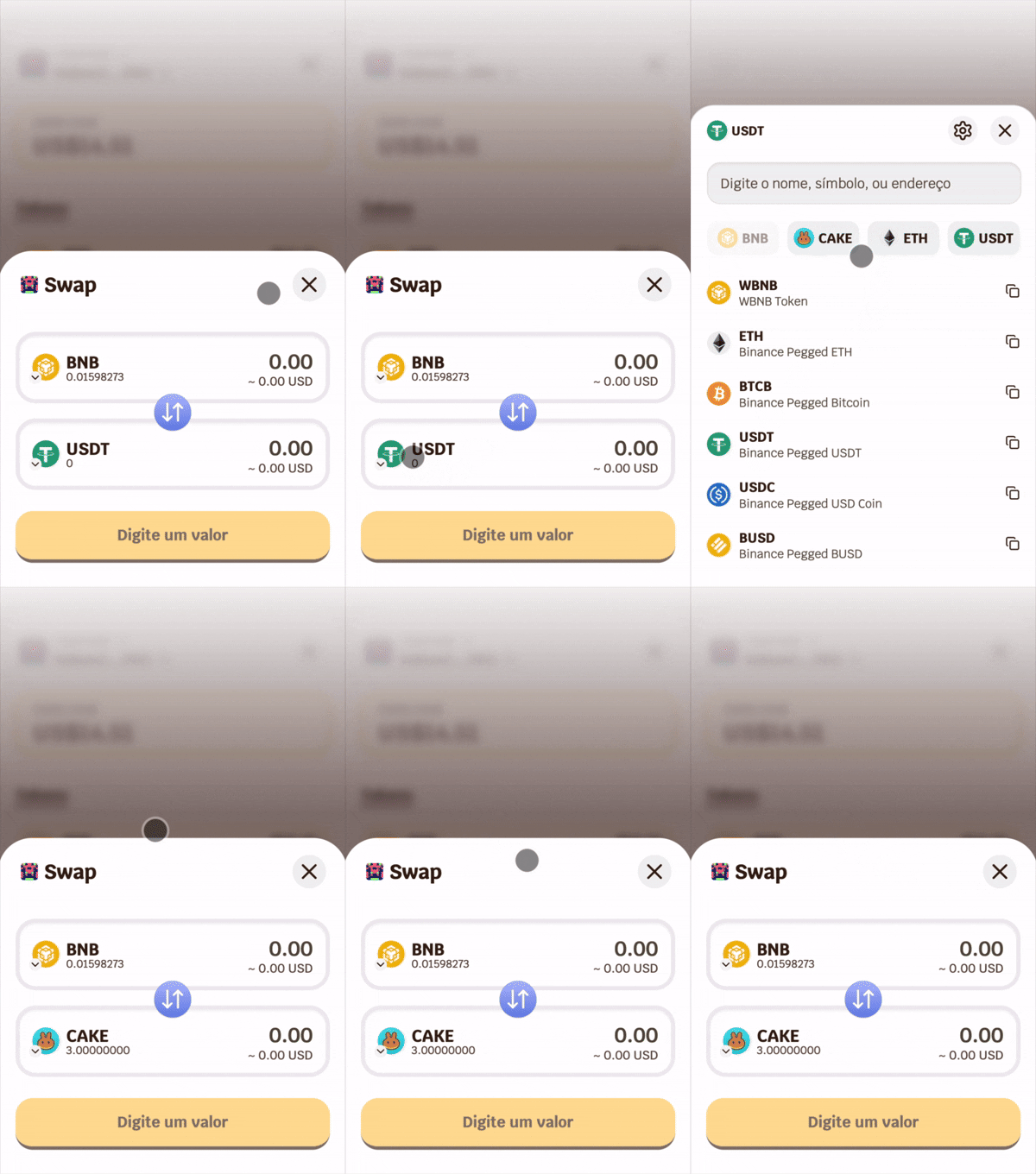
- Select the source token and destination token.
- Enter the amount in the “From” or “To” field — the quote loads automatically.
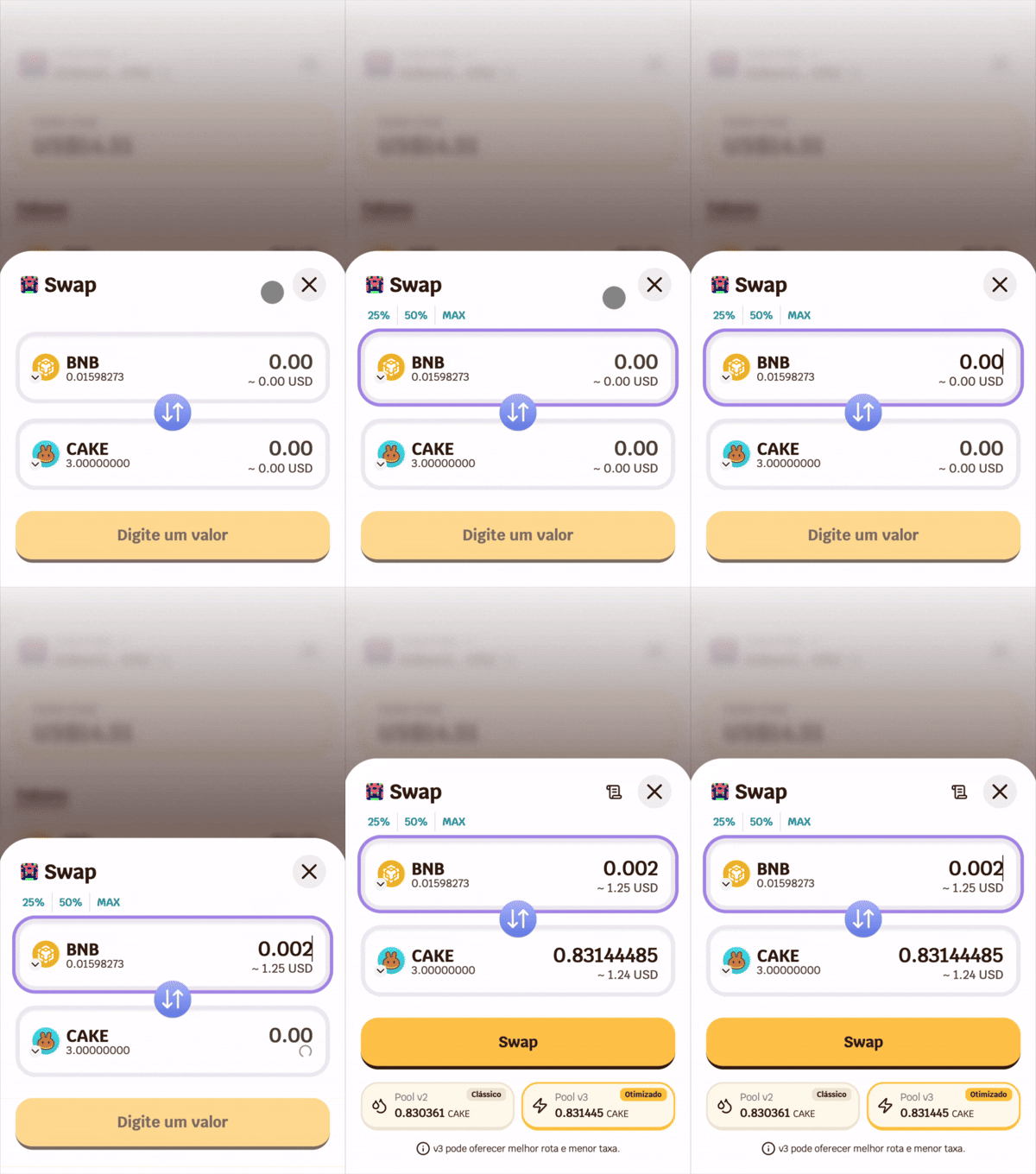
- Choose the desired pool (V2 or V3) or let BeeSwarm automatically select the best one.
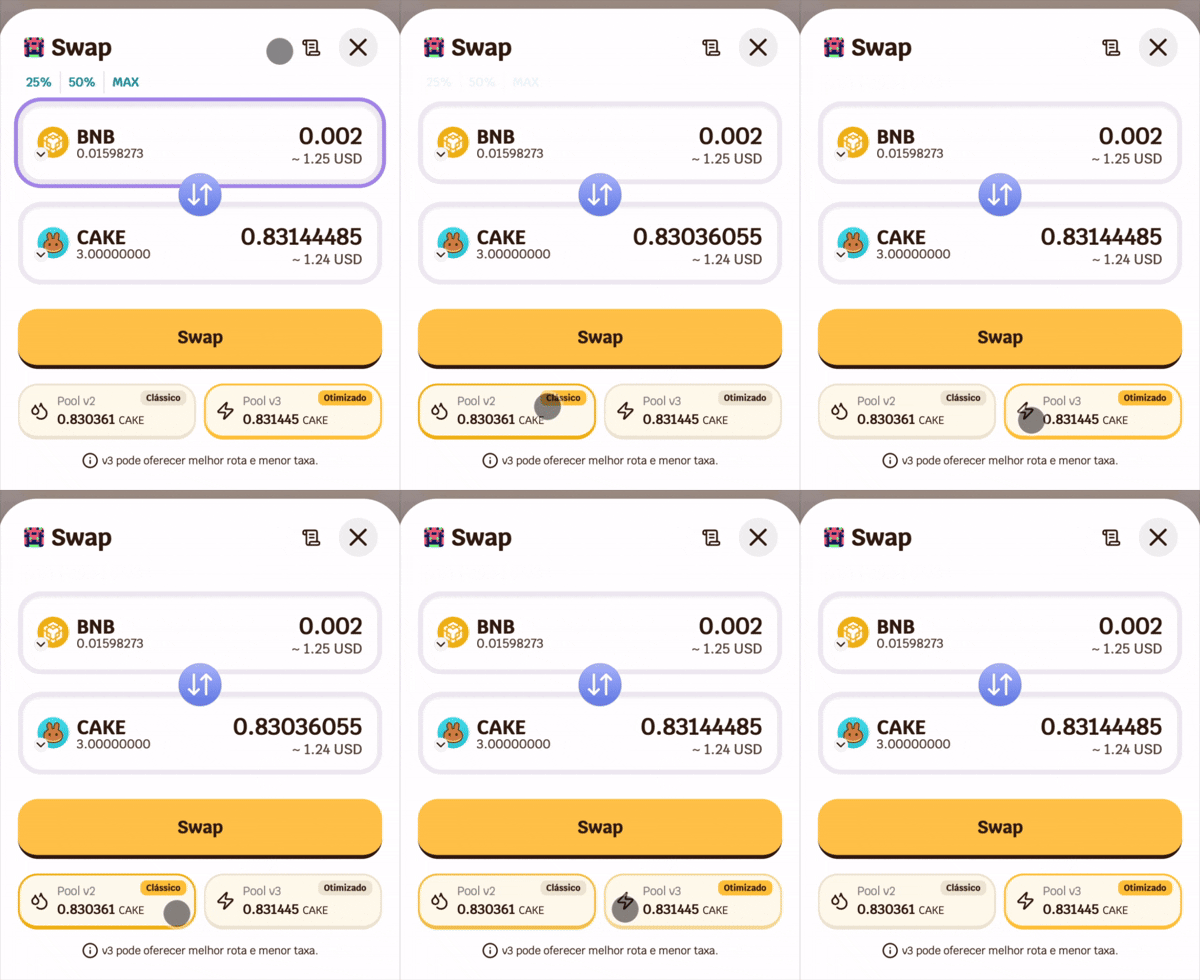
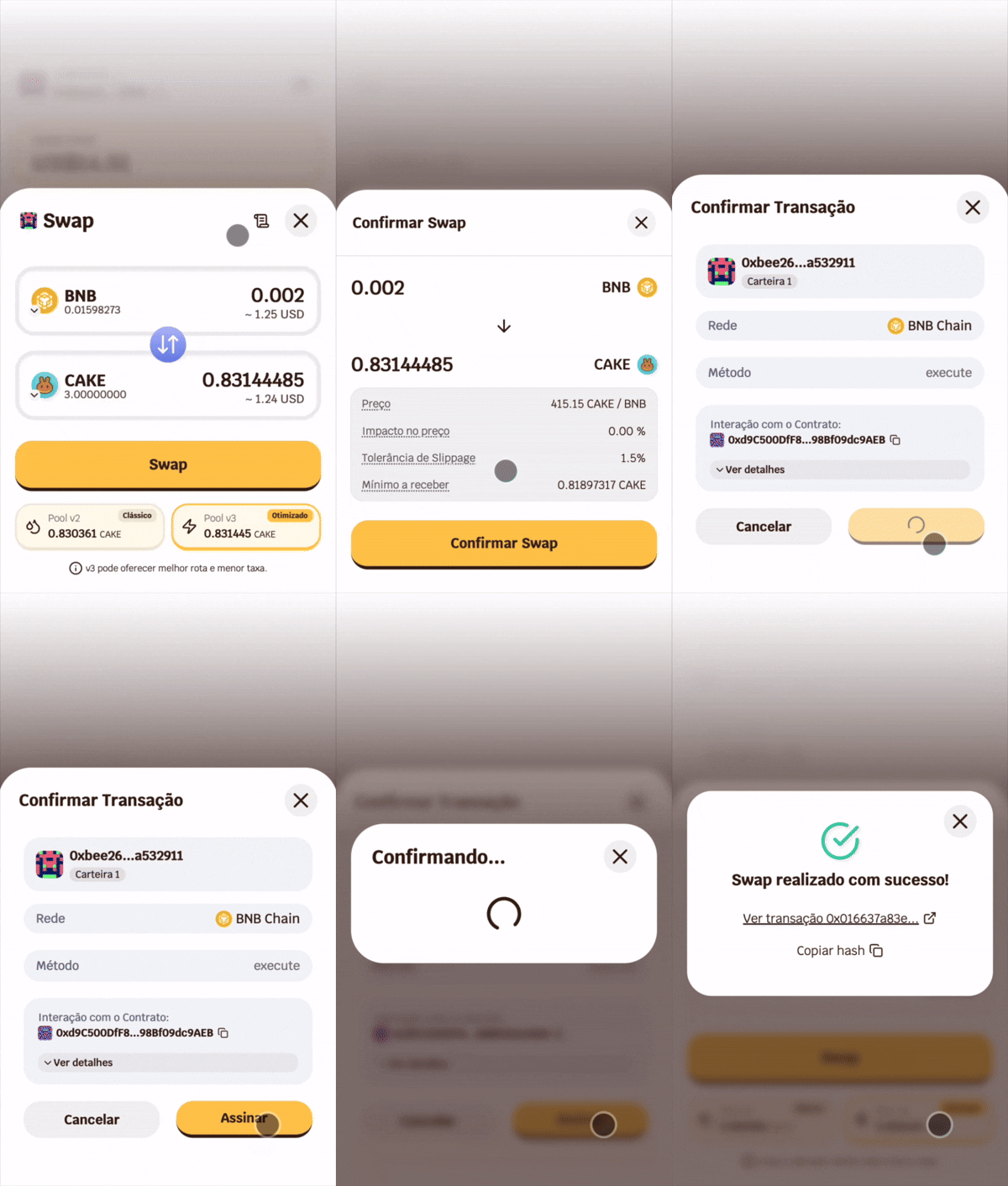
- Tap Swap and confirm with your password.
V2 and V3 Pools
When you enter a value, BeeSwarm simultaneously queries PancakeSwap’s V2 and V3 pools and displays the results just below the input fields.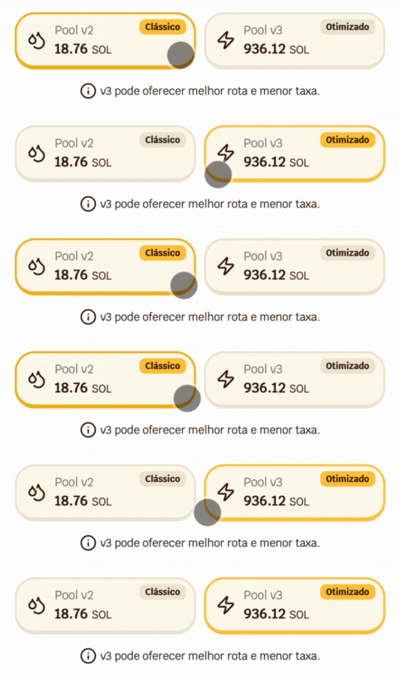
- If the pair only has liquidity on V2, only the V2 card will be shown.
- If both are available, you will see two cards and can choose which one to use.
Slippage
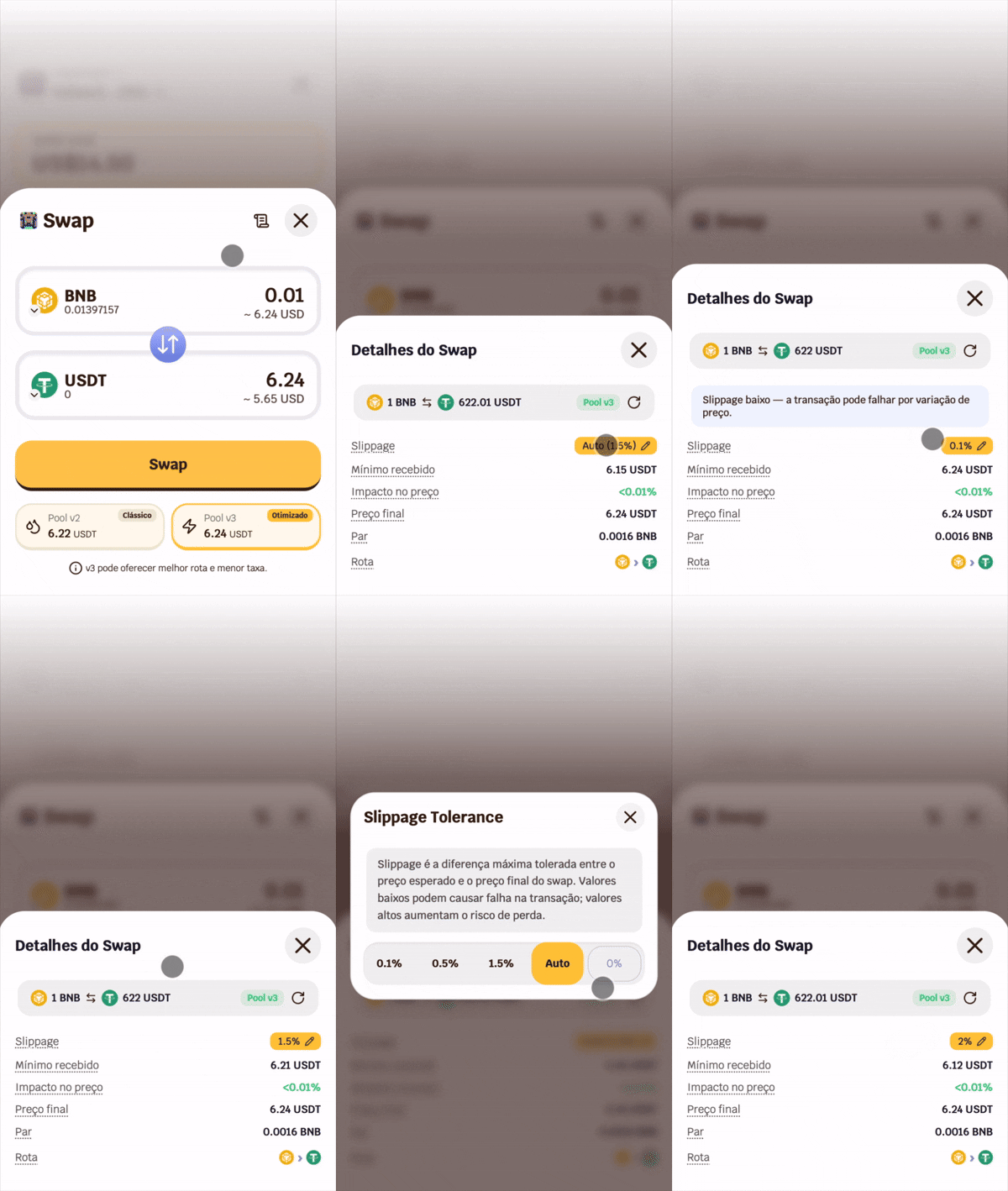 Slippage defines the maximum price variation accepted between the quote and execution. BeeSwarm automatically adjusts slippage based on the detected price impact.
You can also configure it manually by tapping the slippage value in the swap details. Available options:
Slippage defines the maximum price variation accepted between the quote and execution. BeeSwarm automatically adjusts slippage based on the detected price impact.
You can also configure it manually by tapping the slippage value in the swap details. Available options:
- 0.1% — ideal for stable pairs with high liquidity
- 0.5% — general use
- 1.5% — recommended default
- Auto — dynamically adjusted by BeeSwarm
- Custom — set the value manually
Fee Tokens
Some tokens have fees embedded in the contract — known as transfer fee or tax tokens. These tokens charge a percentage on each transfer, which can cause the transaction to fail if the slippage is not sufficient to cover the fee. BeeSwarm automatically identifies known fee tokens and adjusts the slippage to ensure the swap executes successfully. The icon in the top right corner of the swap changes according to the detected risk level: Normal — swap within expected parameters.
 Warning — elevated slippage or price impact above expected.
 High risk — very high slippage or elevated price impact. Review the details before confirming.
Tap the icon to open the complete swap details.
High risk — very high slippage or elevated price impact. Review the details before confirming.
Tap the icon to open the complete swap details.
Route
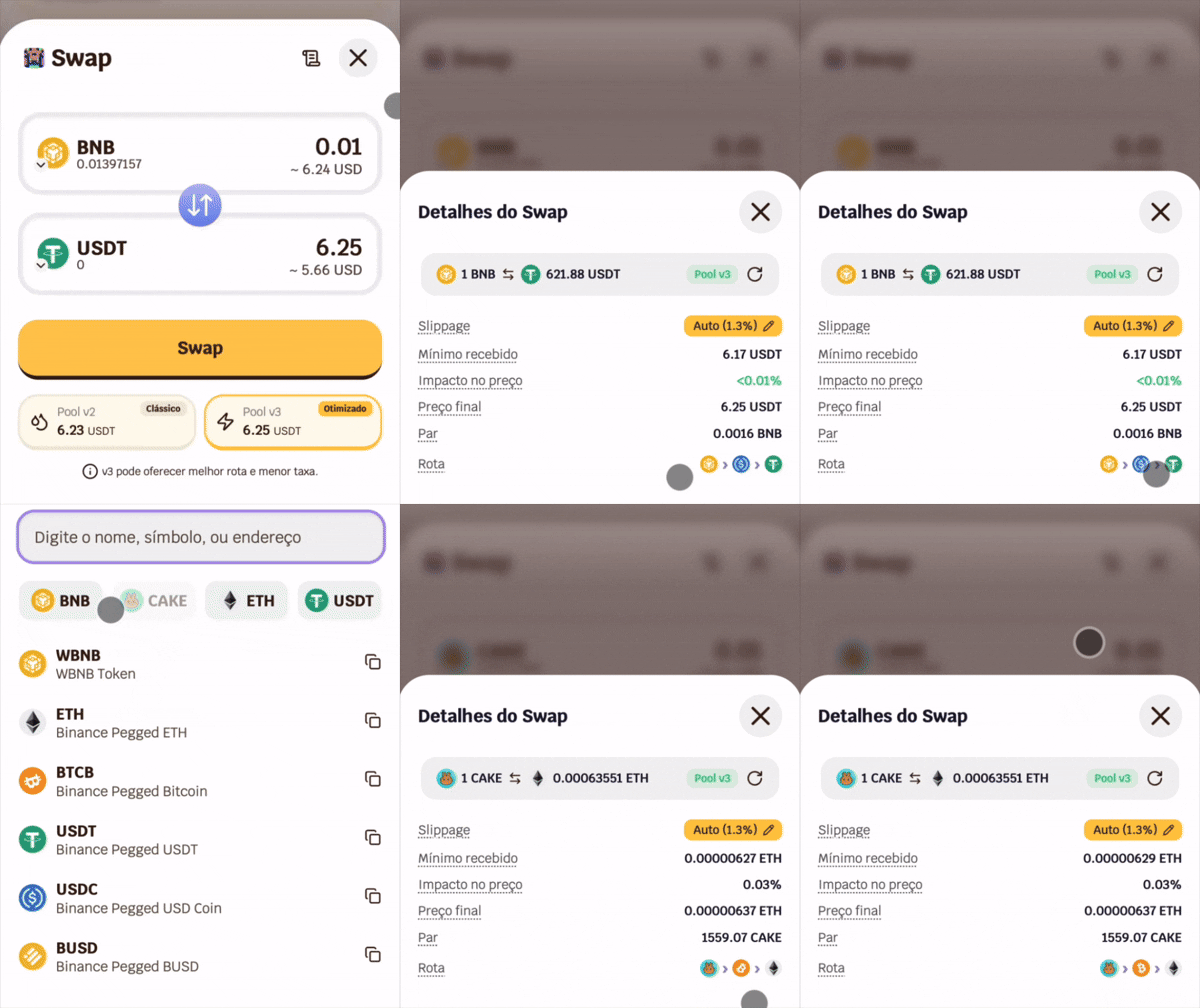 BeeSwarm automatically finds the best route between tokens. When there is no direct liquidity for the selected pair, the route goes through an intermediate token — for example,
 ETH → WBNB → BCH.
The route used is displayed in the swap details, with the logos of the tokens involved.
Swap Details
Before confirming, tap the icon in the top right corner to see the complete information about the operation: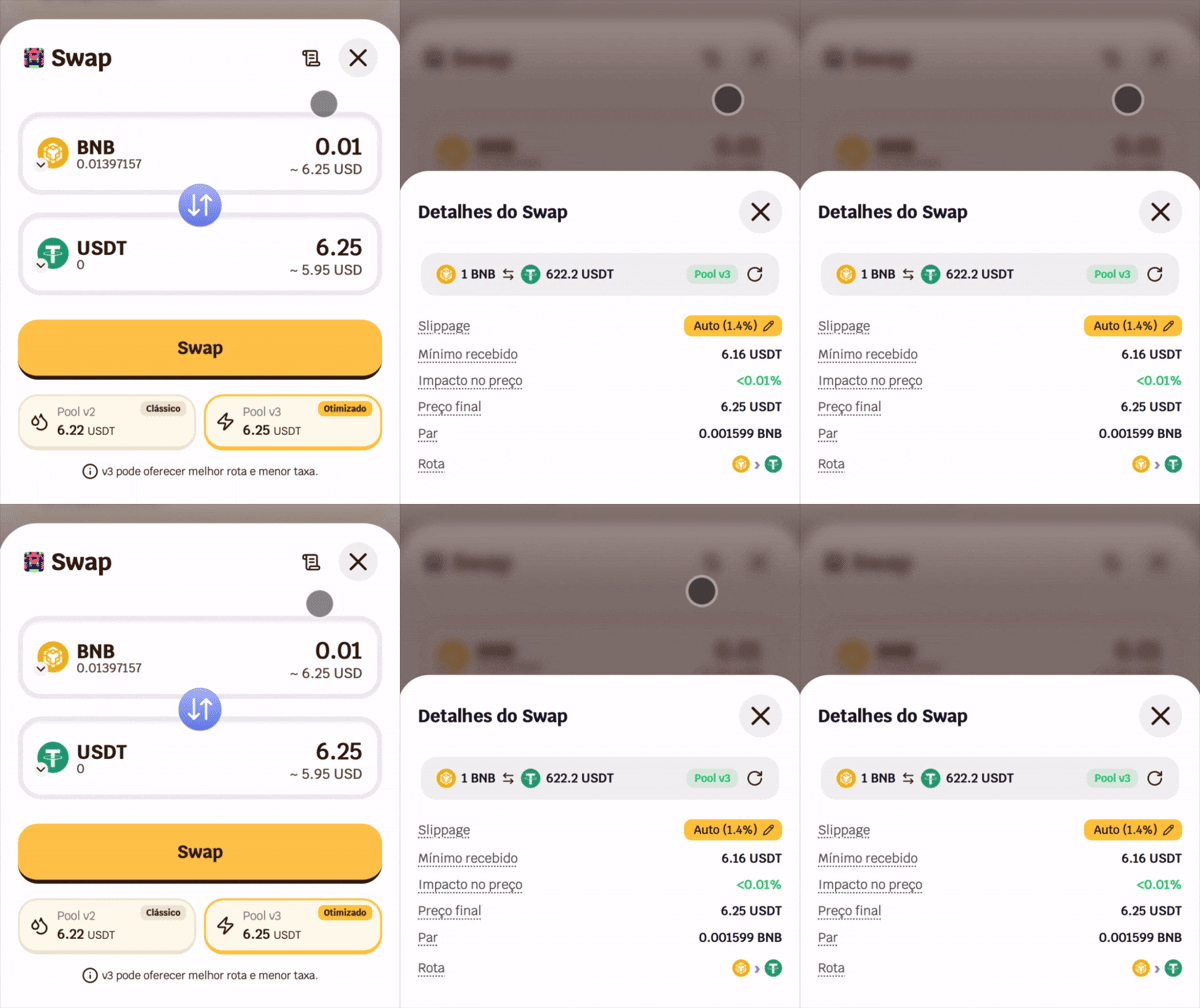
BeeSwarm charges a 0.88% fee per swap, automatically deducted from the transaction. This fee supports the development and maintenance of the platform.