
Starting a New Conversation
1
Paste the wallet address
On the main BeeChat screen, locate the address field and paste the wallet address of the person you want to talk to. The address will be validated automatically.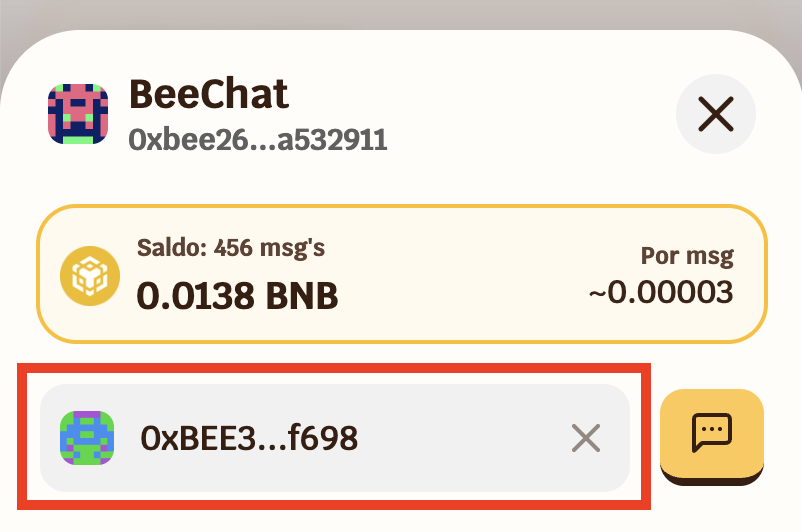
Wallet addresses always start with
0x and have 42 characters. Make sure to copy the complete and correct address — once sent, the message cannot be deleted.2
Tap the chat icon
After pasting the address, tap the chat icon next to the field to open the conversation.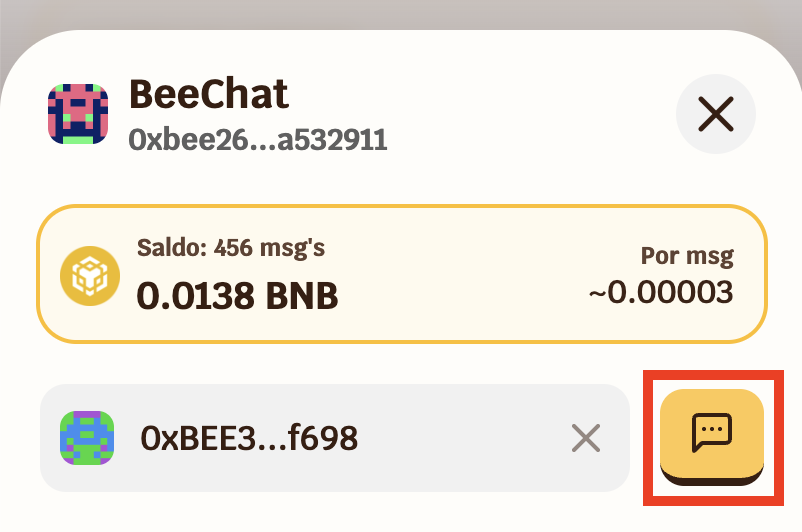
3
Check the warnings
Before sending, BeeChat may display important notices:First message — if you have not yet exchanged messages with this address, the conversation will appear empty with a welcome message.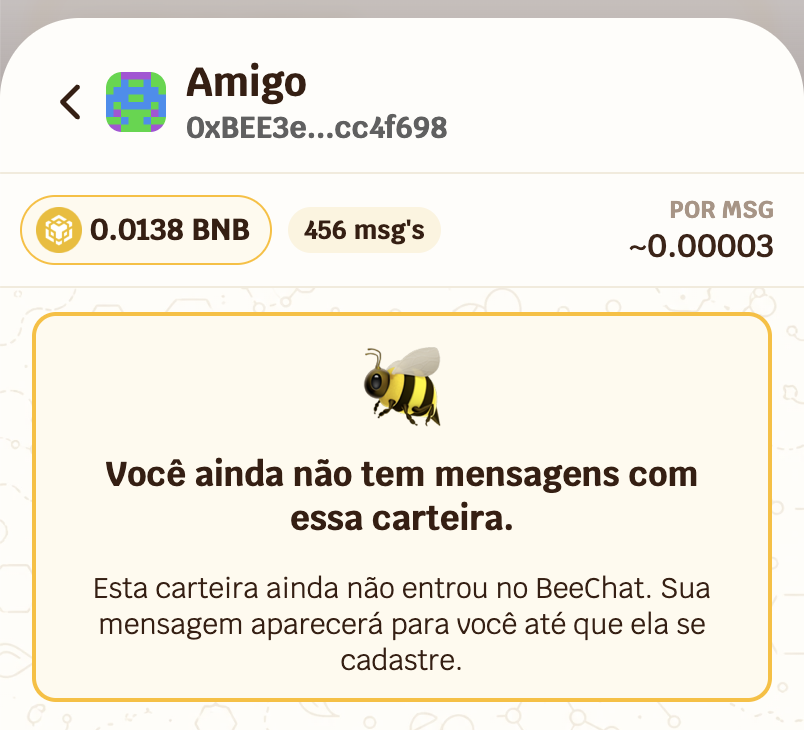 Unregistered contact — if the address has not yet registered in BeeChat, you will see a warning. You can send the message, but they will not be able to read it until they register. And even after registering, previous messages will remain unreadable for them.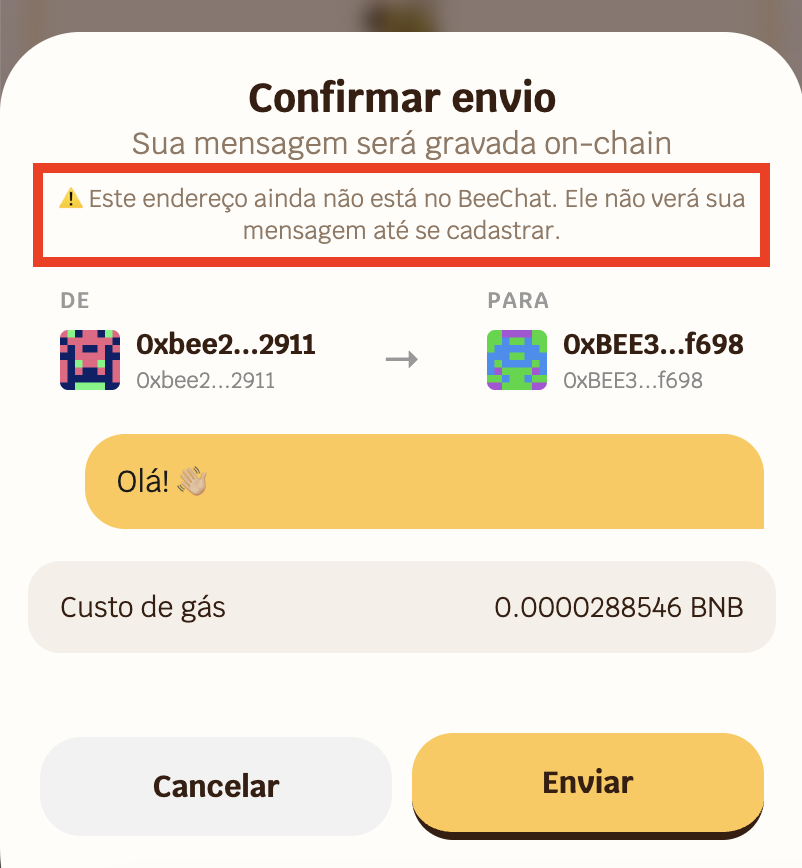
Unregistered contact — if the address has not yet registered in BeeChat, you will see a warning. You can send the message, but they will not be able to read it until they register. And even after registering, previous messages will remain unreadable for them.Sending a Message
1
Type your message
With the conversation open, type your message in the text field at the bottom of the screen. The field expands automatically as you type.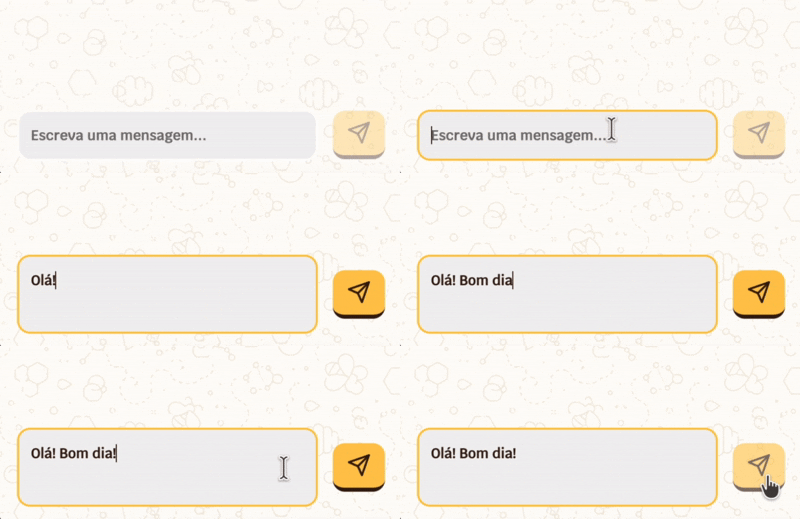
BeeChat only supports text content.
2
Confirm the send
When you tap send or press Enter, a confirmation screen will appear with: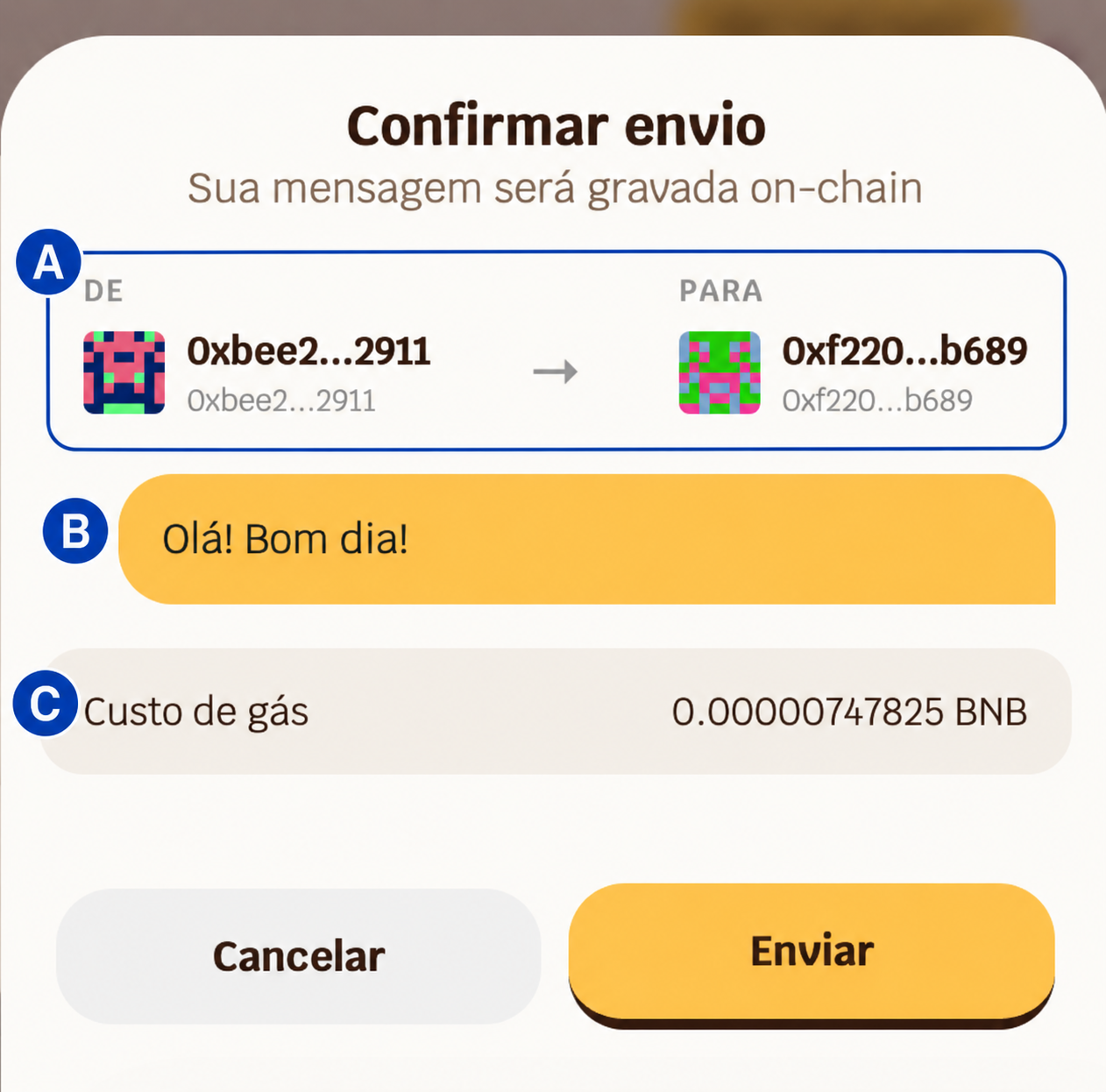 Review the information and tap Send to proceed.
- A -> Origin address (you) and destination (your contact)
- B -> Message preview
- C -> Estimated cost in BNB
Review the information and tap Send to proceed.3
Authenticate
To sign the transaction, you will need to confirm with your password or biometrics.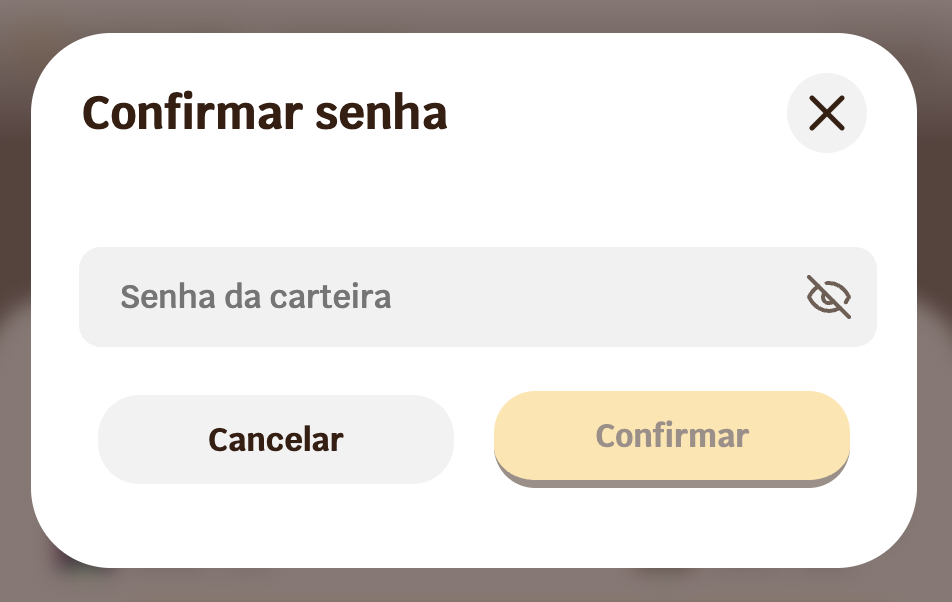
4
Wait for confirmation
After authenticating, your message will appear immediately in the conversation with a ⏰ icon, indicating it is being propagated on the blockchain network. Once the transaction is confirmed by BNB Smart Chain — usually within a few seconds — the icon is replaced by the final message with the time and transaction hash.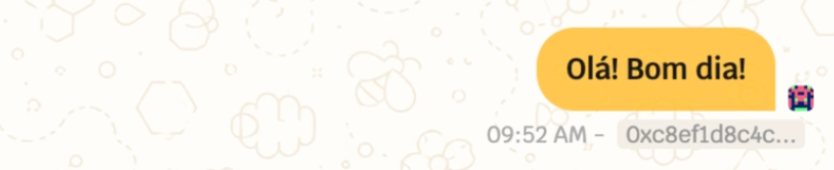
Once the transaction is confirmed by BNB Smart Chain — usually within a few seconds — the icon is replaced by the final message with the time and transaction hash.Message Information
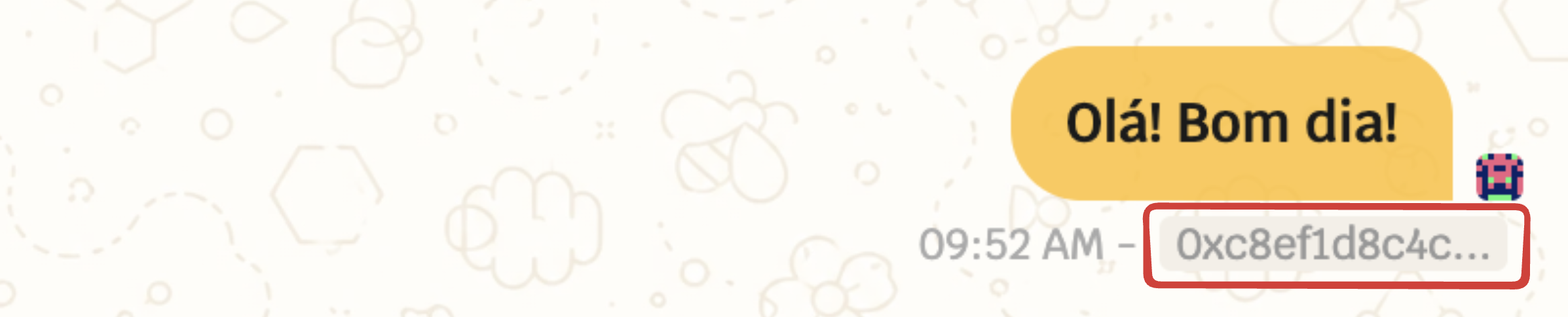
Below each sent or received message, you will find: Time — displays the time of sending. Tap to expand and see the full date and time, including time zone.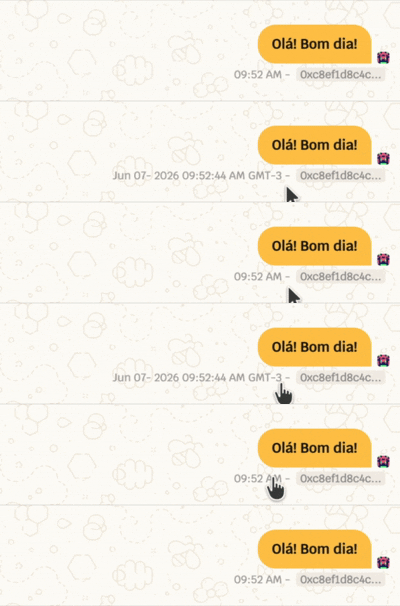 Transaction hash — unique identifier of the message on the blockchain. Tap to open in BscScan and verify the on-chain record directly in the browser.
Your Conversations
On the main BeeChat screen, you will find the list of all wallets you have exchanged messages with, ordered by the most recent interaction.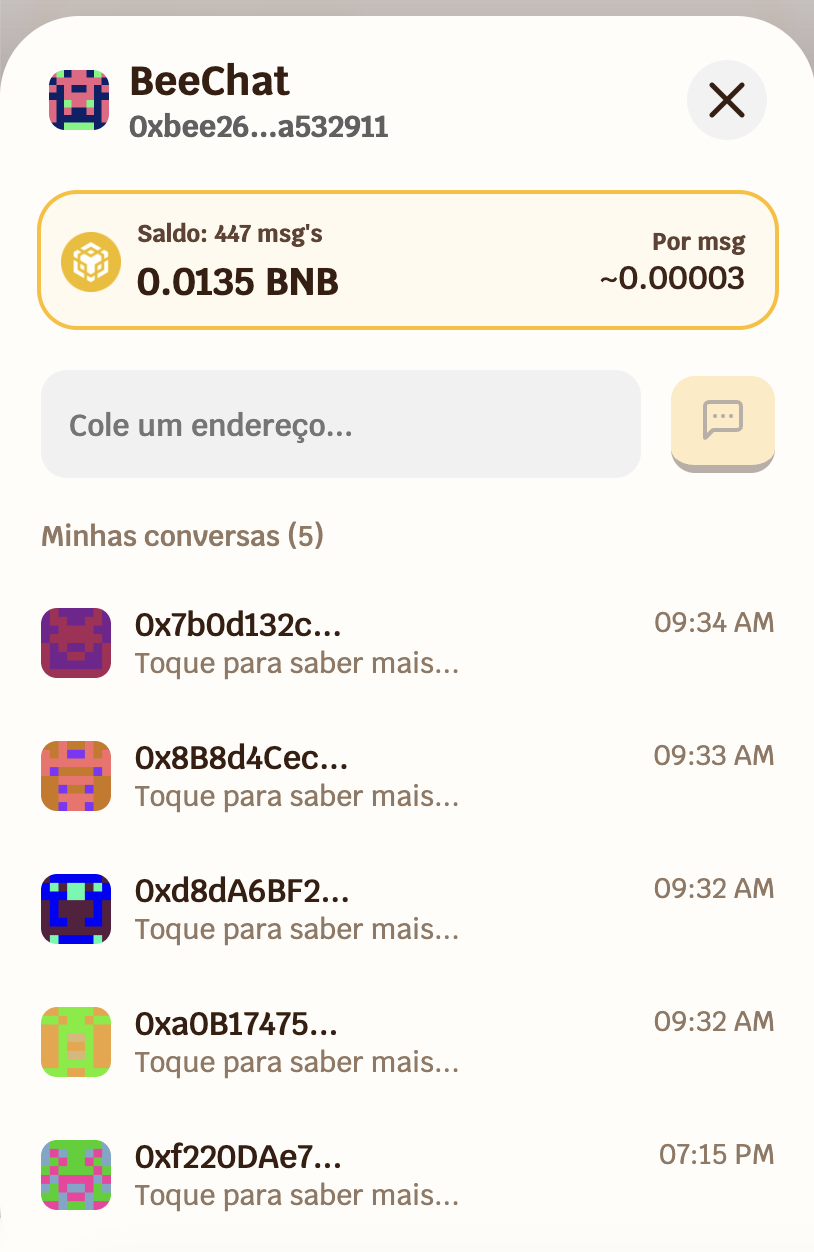 Tap any conversation to open it and see the full message history.
Balance and Message Estimate
At the top of BeeChat, you will always find:- A -> How many messages you can still send with your current balance (estimate)
- B -> Your current BNB balance
- C -> Estimated average cost per message
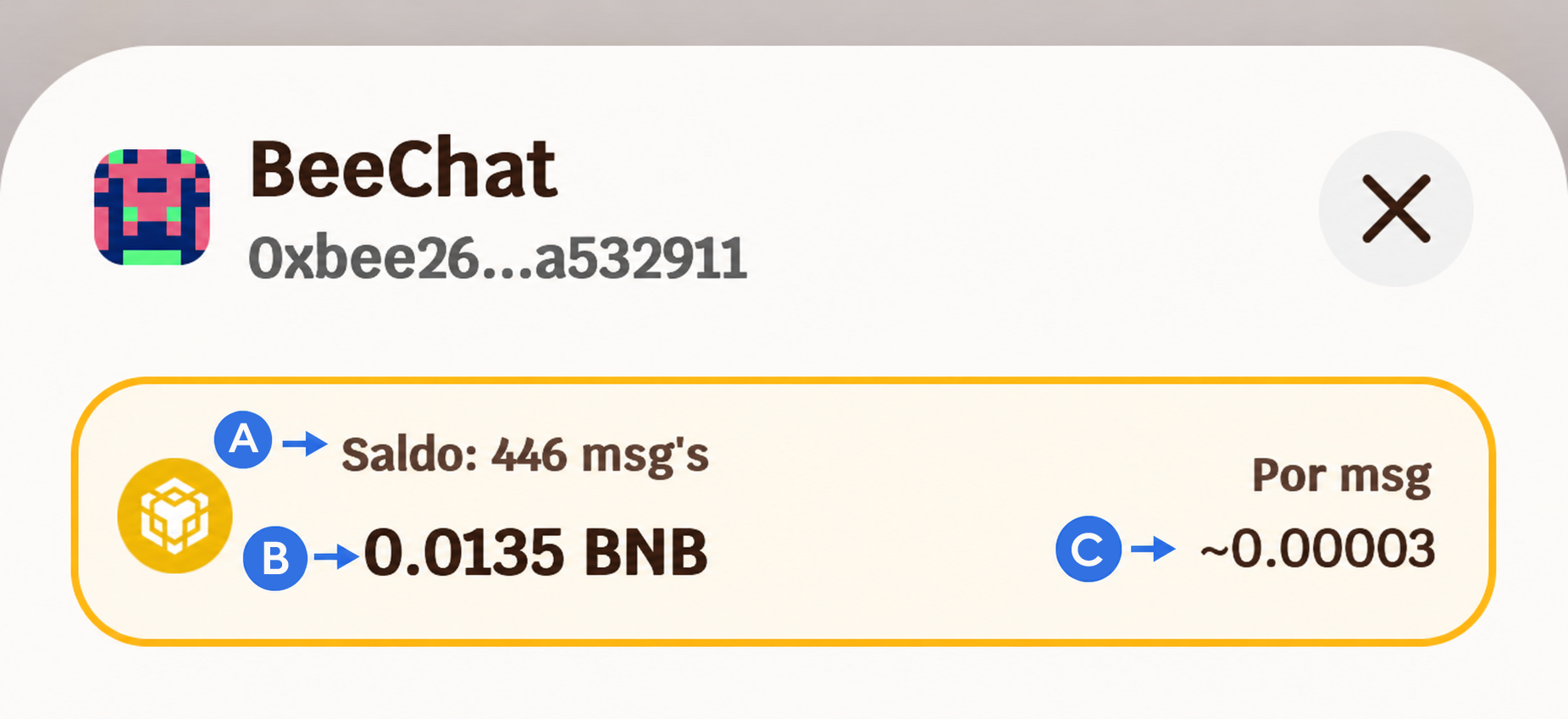
The estimate is calculated in real time based on the current gas price on BNB Smart Chain. It may vary depending on network congestion.