> ## Documentation Index
> Fetch the complete documentation index at: https://docs.beeswarm.app/llms.txt
> Use this file to discover all available pages before exploring further.
# Getting Started
> How to access and set up BeeChat for the first time.
Since BeeChat is integrated with BeeSwarm, you just need your active wallet in the app to get started. If you don't have one yet, [see how to create yours](/en/getting-started).
Inside BeeSwarm, tap **Menu** in the bottom navigation bar. On the screen that opens, tap **BeeChat** — the second option on the list.
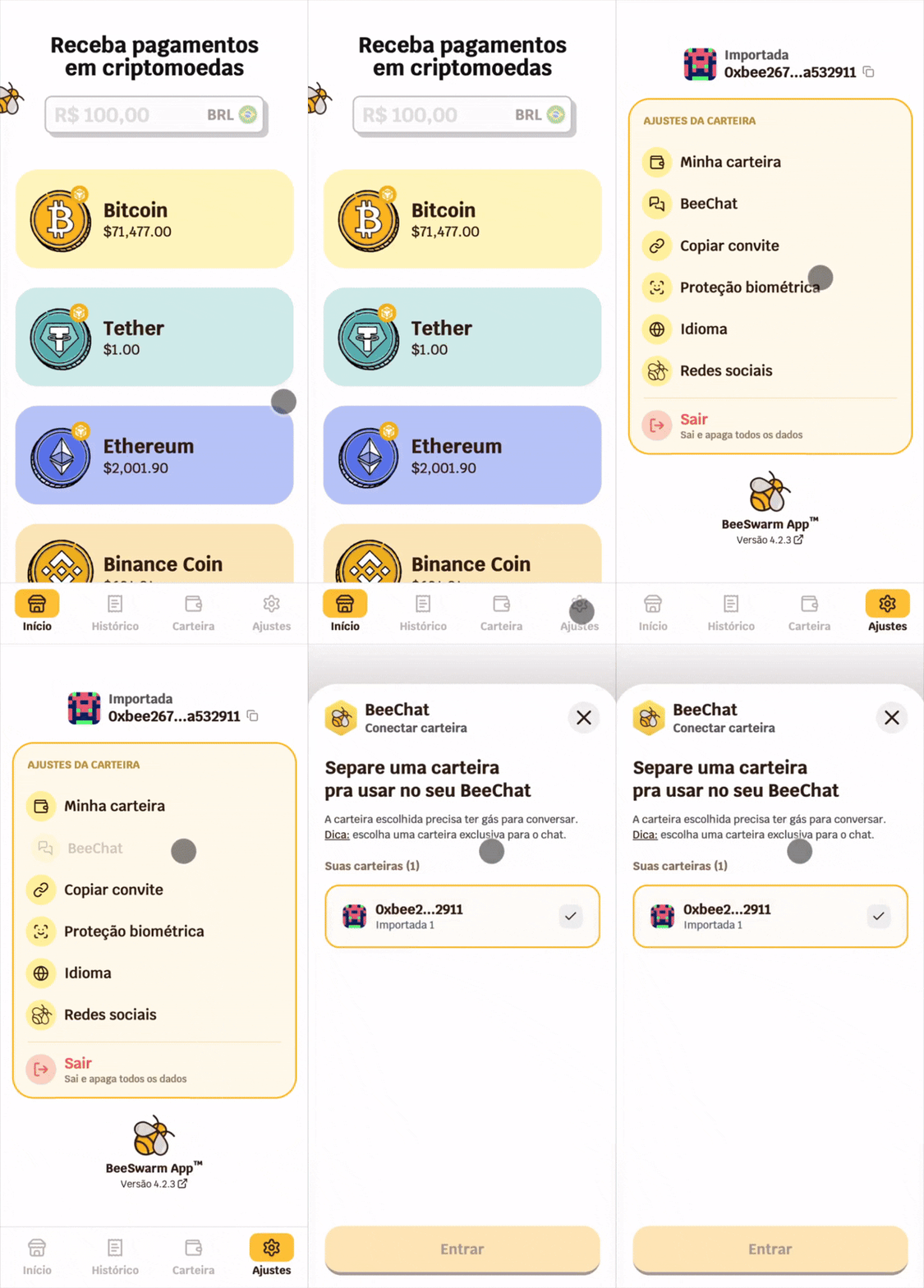 When opening BeeChat, you will be asked to confirm your identity with a password or biometrics.
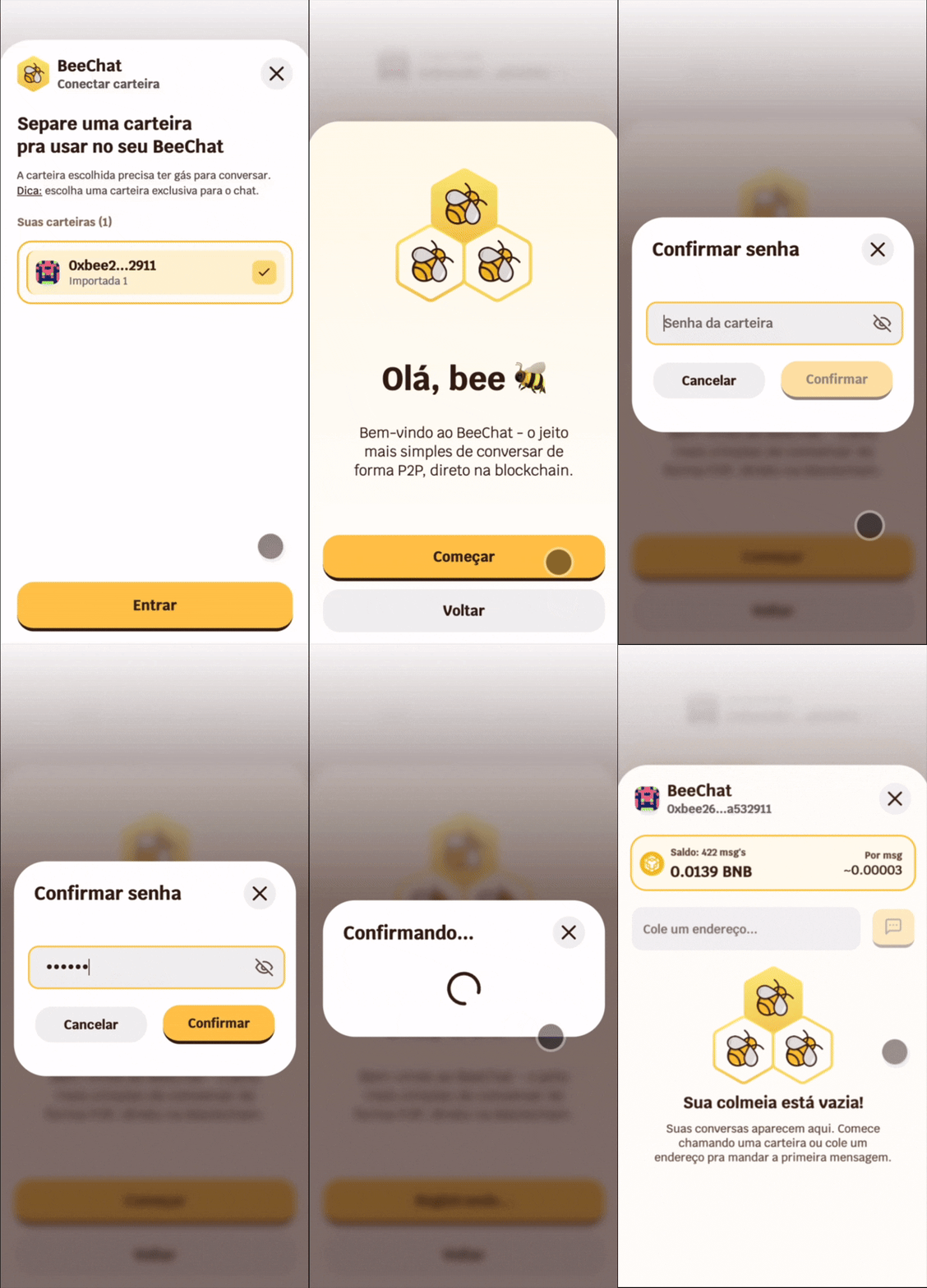 To speed up access, enable biometric authentication. That way, instead of typing your password every time you open the app, just use Face ID or fingerprint. [See how to enable it](/en/biometrics).
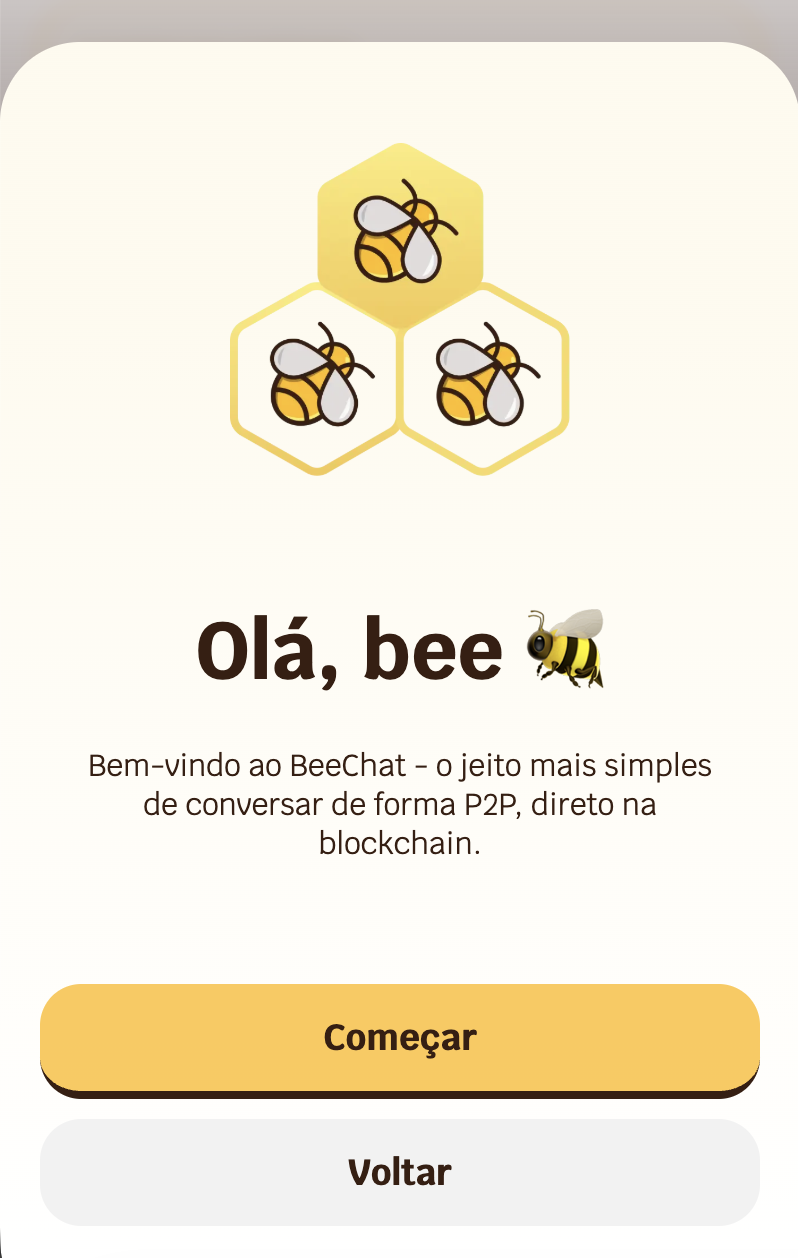
The first time you access BeeChat, you will see a welcome screen. When you tap **Get Started**, your wallet will perform a one-time interaction with the BeeChat protocol on the BNB Smart Chain network. This process securely registers your address, allowing you to start private and decentralized conversations with other hive members with whom you share your wallet's public address.
To speed up access, enable biometric authentication. That way, instead of typing your password every time you open the app, just use Face ID or fingerprint. [See how to enable it](/en/biometrics).
The first time you access BeeChat, you will see a welcome screen. When you tap **Get Started**, your wallet will perform a one-time interaction with the BeeChat protocol on the BNB Smart Chain network. This process securely registers your address, allowing you to start private and decentralized conversations with other hive members with whom you share your wallet's public address.
 This interaction requires a small BNB fee to cover the cost of the blockchain transaction. It is a one-time operation — you will not need to repeat it.
Until you complete this step, other users can send you messages, but you will not be able to read them — even if you complete the process later. It works similarly to WhatsApp: you need the app configured to participate in conversations.
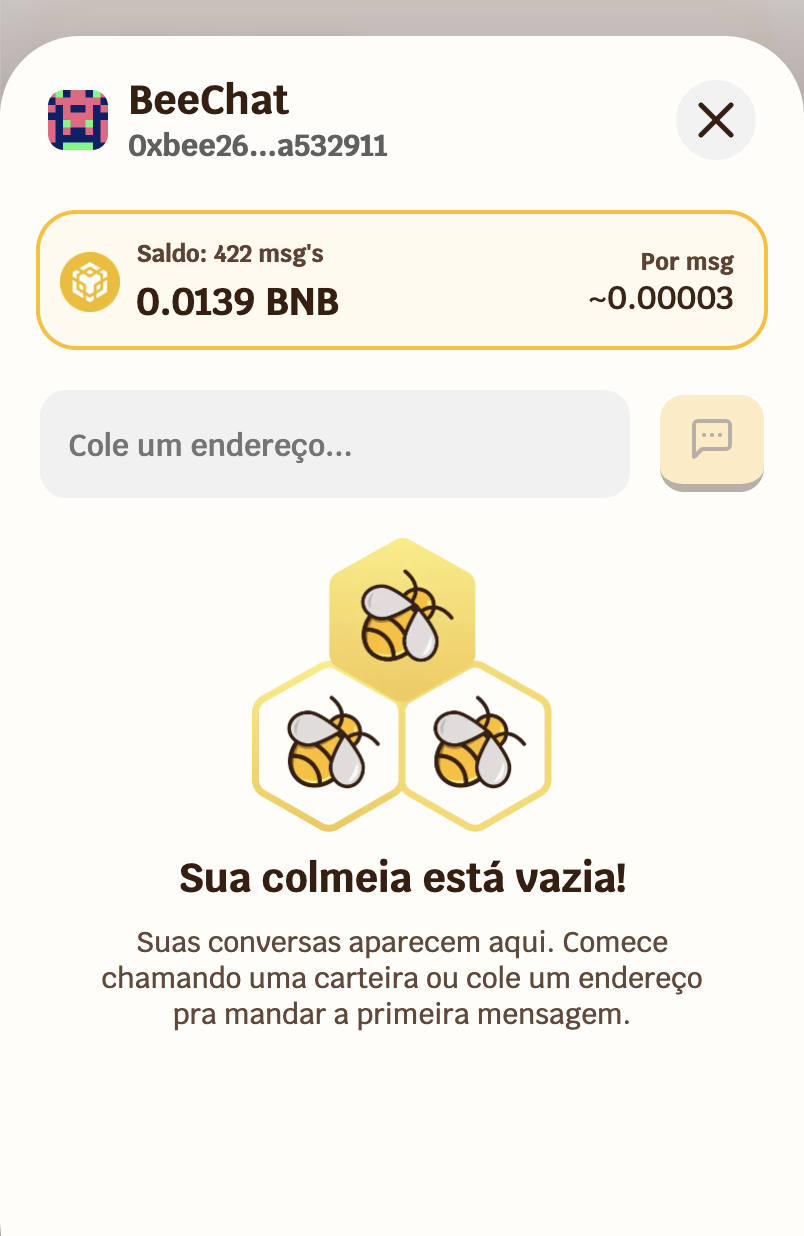
After activating your presence, BeeChat will be fully active. On first use, your conversation list will be empty, but you are already ready to communicate with any wallet that is also part of the hive.
This interaction requires a small BNB fee to cover the cost of the blockchain transaction. It is a one-time operation — you will not need to repeat it.
Until you complete this step, other users can send you messages, but you will not be able to read them — even if you complete the process later. It works similarly to WhatsApp: you need the app configured to participate in conversations.
After activating your presence, BeeChat will be fully active. On first use, your conversation list will be empty, but you are already ready to communicate with any wallet that is also part of the hive.
 ***
## Your Identity in BeeChat
In BeeChat, your identity is your wallet. Once you complete the activation, it becomes part of the protocol — no registration, no username, no email. Everything you need is already in your wallet.
BeeChat's architecture ensures your conversations remain under your total control. Messages are protected by the highest-level asymmetric encryption and, by design, never transit or are stored outside your device in readable format. Privacy is guaranteed by mathematics, ensuring confidentiality is maintained end to end.
The protection of your messages is activated automatically each session, from your wallet. No additional configuration is required.
[→ Understand how messages work](/en/beechat/how-it-works)
***
## Your Identity in BeeChat
In BeeChat, your identity is your wallet. Once you complete the activation, it becomes part of the protocol — no registration, no username, no email. Everything you need is already in your wallet.
BeeChat's architecture ensures your conversations remain under your total control. Messages are protected by the highest-level asymmetric encryption and, by design, never transit or are stored outside your device in readable format. Privacy is guaranteed by mathematics, ensuring confidentiality is maintained end to end.
The protection of your messages is activated automatically each session, from your wallet. No additional configuration is required.
[→ Understand how messages work](/en/beechat/how-it-works)